Linux系统中判断超时的多种方法与实践指南?Linux超时检测有哪些方法?Linux超时检测怎么做?

在Linux系统中,检测超时的常见方法包括: ,1. **信号机制**:通过alarm()函数设置定时器,超时后触发SIGALRM信号,结合信号处理函数实现中断操作。 ,2. **select/poll/epoll**:I/O多路复用技术允许设置超时参数(如select的timeval结构),若指定时间内无事件则返回超时状态。 ,3. **定时器fd**:使用timerfd_create()创建定时器文件描述符,结合epoll监听,实现高精度超时控制。 ,4. **条件变量与互斥锁**:通过pthread_cond_timedwait()在指定时间内等待条件变量,超时后自动唤醒线程。 ,5. **第三方工具**:如timeout命令直接限制进程运行时长,或利用expect脚本处理交互式任务的超时。 ,实践时需根据场景选择:短时任务适合信号或timeout命令,网络通信推荐epoll,而多线程环境可使用条件变量,注意处理信号竞争和资源释放,确保系统稳定性。
Linux超时判断概述
在Linux系统管理和程序开发领域,超时判断是一项至关重要的核心技术,完善的超时机制能够有效保障系统资源不被无限期占用,防止程序因等待永远不会到来的响应而陷入"假死"状态,同时也能为用户提供更优质的使用体验。
超时机制本质上是一种时间约束策略,它定义了特定操作允许执行的最长时间阈值,当操作超过预设时间仍未完成时,系统会触发预设处理流程,可能包括终止操作、返回错误代码或执行备用方案,在Linux生态系统中,超时判断可应用于以下典型场景:
- 网络通信:连接建立、数据传输和响应等待超时控制
- 系统管理:命令执行的监控与超时终止
- 文件操作:I/O操作的超时处理与异常恢复
- 进程通信:进程间通信(IPC)的同步等待超时
- 用户交互:界面操作的响应超时处理
- 资源管理:系统资源锁获取的超时控制
Linux系统提供了丰富的工具链和编程接口来实现各种粒度的超时判断,从简单的命令行工具到复杂的系统级API,可以满足不同层次的应用需求,深入理解这些方法的工作原理和适用场景,对于开发健壮的Linux应用程序和进行高效的系统运维具有决定性意义。
命令行工具中的超时判断实现
timeout命令深度解析
timeout是GNU coreutils包中提供的专业级超时控制命令,它能够为任何可执行命令设置精确的执行时间限制:
timeout 5s ping example.com  # 精确控制ping命令在5秒后终止
timeout 2m30s make          # 为make命令设置2分30秒的超时阈值
高级选项详解:
-k <间隔>:在发送初始终止信号后,若进程未及时退出,则在指定间隔后发送SIGKILL信号(强制终止)-s <信号>:自定义终止信号(默认为SIGTERM),支持信号名或数值(如SIGINT对应2)--preserve-status:保留被终止命令的原始退出状态码,便于后续分析--foreground:在前台运行命令,适用于需要终端交互的场景
生产环境应用实例
# 数据库备份任务带超时和状态检查
timeout 1h mysqldump -u root -p"password" --all-databases > backup.sql
case $? in
    124) echo "备份超时,请检查数据库性能";;
    0)   echo "备份成功完成";;
    *)   echo "备份失败,错误码: $?";;
esac
# 多层超时控制策略(先SIGTERM,30秒后SIGKILL)
timeout -k 30s 5m ./data_processing.sh
# 结合日志记录的超时处理
TIMEOUT=300
LOG_FILE=operation.log
if ! timeout $TIMEOUT sh -c "command >> $LOG_FILE 2>&1"; then
    echo "[$(date)] 操作超时" | tee -a $LOG_FILE
    analyze_failure $LOG_FILE
fi
其他常用工具的超时支持
网络诊断工具:
# 带超时的traceroute
traceroute -w 2 example.com  # 每个跃点等待2秒
# 精确控制nslookup查询时间
timeout 5s nslookup example.com
文件传输工具:
# rsync超时设置
rsync --timeout=30 -avz source/ user@remote:dest/
# sftp连接和传输超时
sftp -o ConnectTimeout=10 -o ServerAliveInterval=30 user@host
系统管理工具:
# 带超时的软件包安装
timeout 10m apt-get install package
# 系统服务状态检查超时
timeout 30s systemctl is-active service-name
Shell脚本中的高级超时技术
基础超时模式实现
在shell脚本中实现超时控制的多种范式:
# 方法1:使用作业控制和wait命令
command &
cmd_pid=$!
(sleep $TIMEOUT && kill $cmd_pid) &
timer_pid=$!
if wait $cmd_pid; then
    kill $timer_pid
    echo "命令成功完成"
else
    echo "命令超时或被终止"
fi
# 方法2:使用Bash内置的read超时
if read -t 20 -p "请在20秒内输入内容: "; then
    process_input "$REPLY"
else
    handle_timeout
fi
高级信号处理模式
#!/bin/bash
# 增强型超时处理脚本
TIMEOUT=60
TIMER_PID=""
cleanup() {
    [ -n "$TIMER_PID" ] && kill $TIMER_PID 2>/dev/null
}
timeout_handler() {
    echo "操作超时,执行清理..."
    cleanup_resources
    exit 1
}
# 设置信号陷阱
trap timeout_handler SIGUSR1
trap cleanup EXIT
# 启动异步定时器
(
    sleep $TIMEOUT
    kill -SIGUSR1 $$
) & TIMER_PID=$!
# 主业务逻辑
critical_operation
# 正常完成时取消定时器
cleanup
生产级应用案例
案例1:带资源监控的超时控制
#!/bin/bash
# 监控内存使用的同时实现超时控制
MAX_MEM=512  # 单位MB
TIMEOUT=300
command_to_monitor & cmd_pid=$!
(
    sleep $TIMEOUT
    kill $cmd_pid 2>/dev/null
    echo "超时终止" >&2
) & timer_pid=$!
while ps -p $cmd_pid >/dev/null; do
    mem_usage=$(ps -o rss= -p $cmd_pid | awk '{print $1/1024}')
    if [ $(echo "$mem_usage > $MAX_MEM" | bc) -eq 1 ]; then
        kill $cmd_pid $timer_pid 2>/dev/null
        echo "内存超限" >&2
        exit 1
    fi
    sleep 5
done
wait $cmd_pid
cmd_status=$?
kill $timer_pid 2>/dev/null
exit $cmd_status
案例2:批量任务带并行度和超时控制
#!/bin/bash
# 并发任务执行器带超时管理
CONCURRENT=4
TASK_TIMEOUT=600
TASK_LIST=(task1 task2 task3 task4 task5)
execute_task() {
    local task=$1
    timeout $TASK_TIMEOUT $task
    return $?
}
export -f execute_task
printf "%s\n" "${TASK_LIST[@]}" | xargs -P $CONCURRENT -n 1 -I {} bash -c 'execute_task "$@"' _ {}
# 结果收集和分析
...
编程语言中的超时处理范式
C语言实现方案
使用POSIX定时器(高精度方案):
#define _POSIX_C_SOURCE 199309L
#include <stdio.h>
#include <stdlib.h>
#include <signal.h>
#include <time.h>
timer_t create_timer(int seconds) {
    struct sigevent sev = {0};
    timer_t timerid;
    struct itimerspec its = {
        .it_value = {seconds, 0},
        .it_interval = {0, 0}
    };
    sev.sigev_notify = SIGEV_SIGNAL;
    sev.sigev_signo = SIGALRM;
    if (timer_create(CLOCK_REALTIME, &sev, &timerid) == -1) {
        perror("timer_create");
        exit(EXIT_FAILURE);
    }
    if (timer_settime(timerid, 0, &its, NULL) == -1) {
        perror("timer_settime");
        exit(EXIT_FAILURE);
    }
    return timerid;
}
void handler(int sig) {
    printf("操作超时\n");
    exit(EXIT_FAILURE);
}
int main() {
    signal(SIGALRM, handler);
    timer_t timer = create_timer(5);
    // 执行可能长时间运行的操作
    perform_operation();
    // 取消定时器
    timer_delete(timer);
    return 0;
}
多线程超时控制:
#include <pthread.h>
#include <stdbool.h>
volatile bool operation_timed_out = false;
void* timeout_thread(void* arg) {
    sleep(*(int*)arg);
    operation_timed_out = true;
    return NULL;
}
void perform_operation_with_timeout(int timeout_sec) {
    pthread_t tid;
    pthread_create(&tid, NULL, timeout_thread, &timeout_sec);
    while(!operation_complete && !operation_timed_out) {
        // 执行操作的分步处理
        process_step();
    }
    if (operation_timed_out) {
        handle_timeout();
    }
    pthread_cancel(tid);
    pthread_join(tid, NULL);
}
Python高级实现方案
异步IO超时处理(Python 3.7+):
import asyncio
async def fetch_with_timeout(url, timeout=10):
    try:
        async with asyncio.timeout(timeout):
            reader, writer = await asyncio.open_connection(url, 80)
            writer.write(b"GET / HTTP/1.1\r\nHost: %s\r\n\r\n" % url.encode())
            await writer.drain()
            data = await reader.read(1000)
            return data.decode()
    except TimeoutError:
        print(f"请求{url}超时")
        return None
    finally:
        writer.close()
        await writer.wait_closed()
# 使用示例
result = asyncio.run(fetch_with_timeout("example.com"))
上下文管理器模式:
from contextlib import contextmanager
import signal
class TimeoutException(Exception):
    pass
@contextmanager
def timeout_context(seconds):
    def signal_handler(signum, frame):
        raise TimeoutException("操作超时")
    original_handler = signal.signal(signal.SIGALRM, signal_handler)
    signal.alarm(seconds)
    try:
        yield
    finally:
        signal.alarm(0)
        signal.signal(signal.SIGALRM, original_handler)
# 使用示例
try:
    with timeout_context(5):
        long_running_operation()
except TimeoutException:
    handle_timeout()
系统级超时配置优化
内核参数调优
TCP协议栈优化:
# 查看当前TCP参数
sysctl -a | grep -E 'tcp_(keepalive|fin|retries)'
# 生产环境推荐配置(在/etc/sysctl.conf中)
net.ipv4.tcp_keepalive_time = 600
net.ipv4.tcp_keepalive_probes = 5
net.ipv4.tcp_keepalive_intvl = 15
net.ipv4.tcp_fin_timeout = 30
net.ipv4.tcp_syn_retries = 3
net.ipv4.tcp_synack_retries = 3
# 应用配置
sysctl -p
文件描述符相关:
# 设置文件锁等待超时(单位:秒)
echo 30 > /proc/sys/fs/lease-break-time
服务级超时配置
SSH服务优化:
# /etc/ssh/sshd_config
LoginGraceTime 2m
ClientAliveInterval 15
ClientAliveCountMax 3
MaxStartups 10:30:60
数据库连接超时:
# MySQL配置示例(my.cnf)
[mysqld]
connect_timeout = 10
interactive_timeout = 28800
wait_timeout = 3600
net_read_timeout = 30
net_write_timeout = 60
高级应用与架构设计
自适应超时算法
# 基于历史响应时间的动态超时调整
class AdaptiveTimeout:
    def __init__(self, initial_timeout=1.0, alpha=0.2, min_timeout=0.5, max_timeout=30.0):
        self.current_timeout = initial_timeout
        self.alpha = alpha  # 平滑因子
        self.min_timeout = min_timeout
        self.max_timeout = max_timeout
        self.history = []
    def record_response(self, response_time):
        self.history.append(response_time)
        if len(self.history) > 100:
            self.history.pop(0)
        # 计算加权移动平均
        avg = sum(self.history) / len(self.history)
        self.current_timeout = min(
            max(avg * (1 + self.alpha), self.min_timeout),
            self.max_timeout
        )
        return self.current_timeout
    def get_timeout(self):
        return self.current_timeout
分布式系统超时协调
分布式超时策略需要考虑:
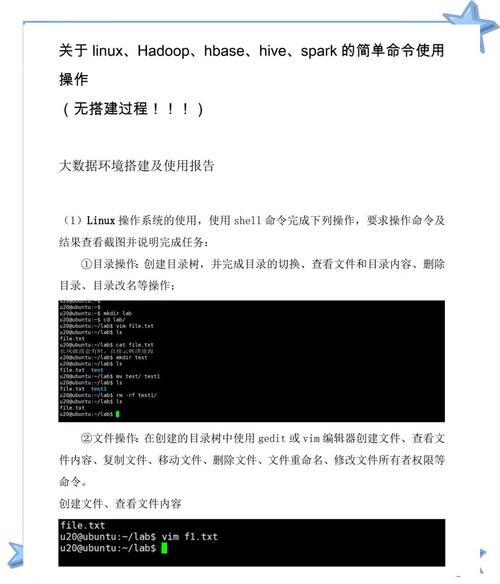
- 时钟同步:使用NTP或PTP协议确保各节点时间一致
- 调用链传播:跨服务调用时传递剩余超时时间
- SLA分级:根据服务等级协议设置不同级别的超时阈值
- 熔断机制:与超时策略协同工作,防止级联故障
- 服务网格:在Service Mesh中实现全局超时策略管理
性能优化与问题诊断
超时相关性能指标
# 监控系统调用超时
strace -f -e trace=poll,select,epoll_wait -tt -T -p <PID>
# 分析TCP超时重传
ss -eipn sport = :<PORT>
tcpdump -i any 'tcp[tcpflags] & (tcp-syn|tcp-ack) == tcp-ack'
# 统计系统级超时事件
perf stat -e 'syscalls:sys_enter_*timeout*' -a sleep 10
常见问题排查指南
超时机制失效场景:
- 信号处理覆盖:检查signal/sigaction调用链是否被意外修改
- 进程状态异常:进程处于不可中断状态(D状态)
- 资源耗尽:检查dmesg输出是否有OOM或资源不足信息
- 容器时间漂移:容器环境中的时钟同步问题
- 硬件时钟异常:检查RTC和系统时钟是否准确
调试建议:
- GDB分析:使用
gdb附加到进程分析阻塞点 - 内核栈检查:查看
/proc/<PID>/stack获取内核栈信息 - 系统调用分析:通过
strace -T分析系统调用延迟 - 进程状态监控:使用
ps -eo stat,pid,cmd监控进程调度状态
总结与最佳实践
Linux系统提供了从用户空间到内核空间的全栈式超时解决方案,在实际应用中,建议采用以下策略:
-
分层设计:
- 命令行工具适合简单任务
- Shell脚本适合系统管理任务
- 编程语言API适合应用程序开发
- 内核参数适合系统级调优
-
防御性编程:
- 总是为阻塞操作设置超时
- 实现完善的超时处理逻辑
- 记录超时事件用于后续分析
-
动态调整:
- 根据系统负载动态调整超时值
- 实现渐进式超时策略
- 考虑网络条件和业务优先级
-
监控体系:
- 建立超时事件监控告警
- 统计超时发生率作为系统健康指标
- 定期评审和优化超时配置
通过合理应用Linux系统的超时机制,可以显著提升系统的健壮性和可用性,构建出更稳定可靠的服务架构。
免责声明:我们致力于保护作者版权,注重分享,被刊用文章因无法核实真实出处,未能及时与作者取得联系,或有版权异议的,请联系管理员,我们会立即处理! 部分文章是来自自研大数据AI进行生成,内容摘自(百度百科,百度知道,头条百科,中国民法典,刑法,牛津词典,新华词典,汉语词典,国家院校,科普平台)等数据,内容仅供学习参考,不准确地方联系删除处理! 图片声明:本站部分配图来自人工智能系统AI生成,觅知网授权图片,PxHere摄影无版权图库和百度,360,搜狗等多加搜索引擎自动关键词搜索配图,如有侵权的图片,请第一时间联系我们。